Point State and Status Bit Details
The Point Properties dialog box shows the details of a point’s real-time record. You can access this dialog box by right-clicking on the alarm in the alarm view and selecting Point Properties.
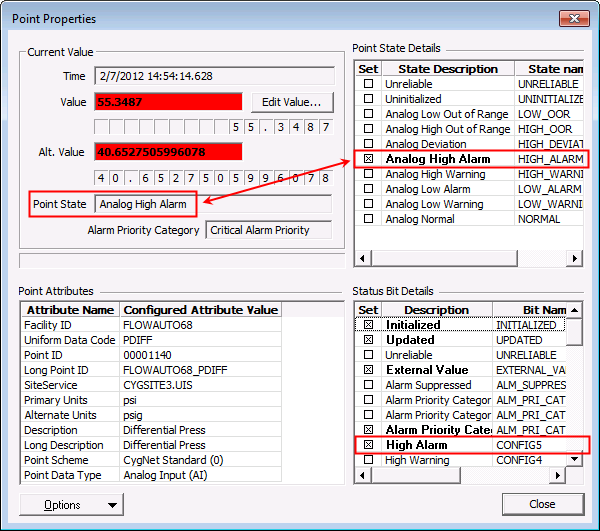
The Point State Details area shows the overall point state. The Point State is based on the status bits. There are 48 Status Bits. In the CygNet Standard Point Scheme, Configurable Bit 5 (CONFIG5) represents a high alarm for analog points.
For more information, see Point State and Alarm Condition.
Example
In the following, the Point State is "Analog High Alarm" since Configurable Bit 5 (CONFIG5) is set.
|
Point State Details |